

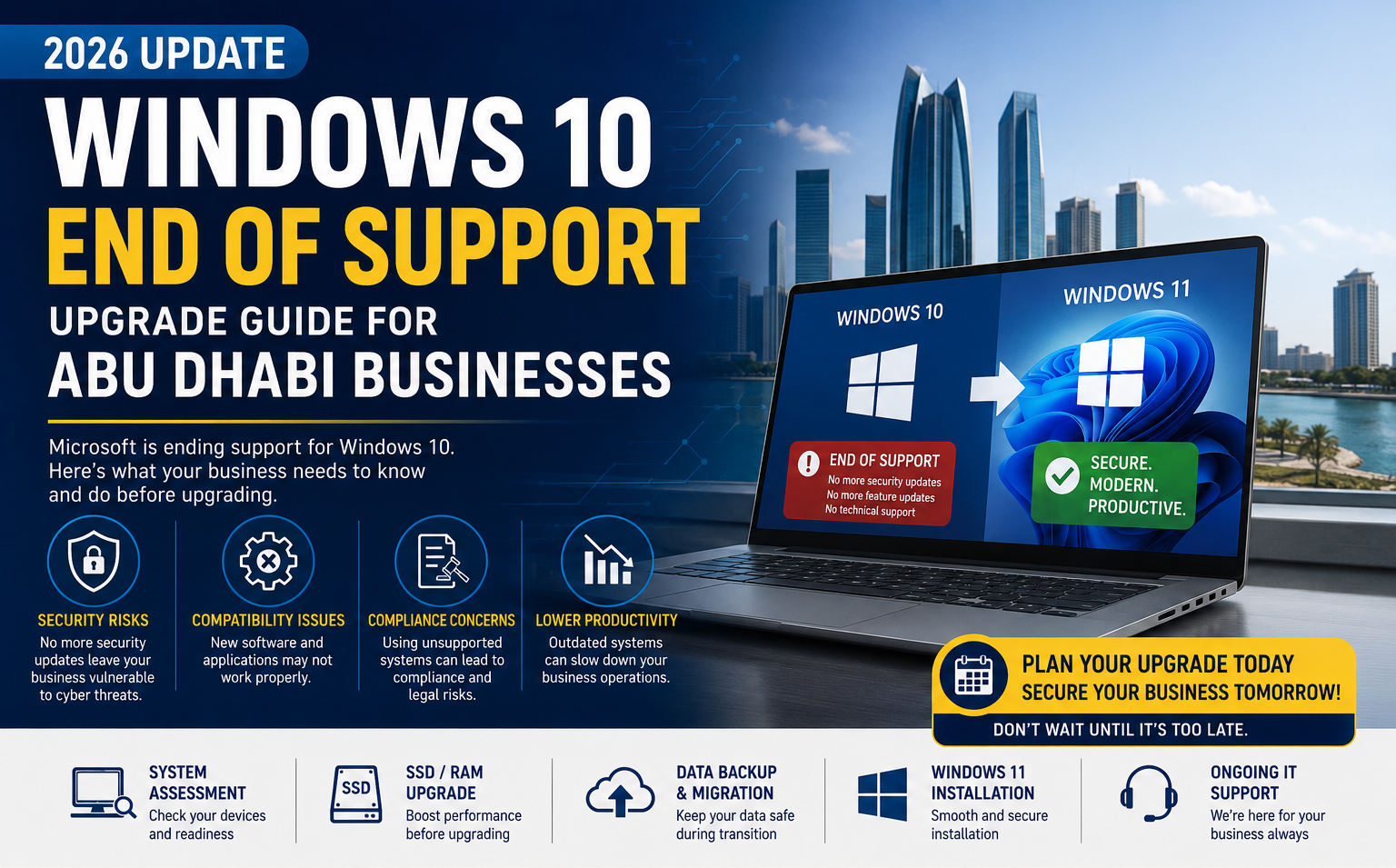
Microsoft officially ended mainstream development for Windows 10 and has announced that Windows 10 support will end on October 14, 2025. After this date, devices running Windows 10 will no longer receive regular security updates, bug fixes, or technical support.
For businesses in Abu Dhabi and across the UAE, continuing to use unsupported operating systems can create serious cybersecurity, compliance, and operational risks.
This guide explains what Windows 10 end of support means, how it affects organizations, and the steps businesses should take before upgrading.
What Does Windows 10 End of Support Mean?
After October 14, 2025, Microsoft will stop providing:
- Security updates
- Bug fixes
- Technical support
- Feature improvements
- Protection against newly discovered vulnerabilities
While Windows 10 PCs will continue to function, they will become increasingly vulnerable to cyber threats and software compatibility issues over time.
Why UAE Businesses Should Not Delay Upgrading
Many organizations continue to rely on Windows 10 for daily operations. However, delaying migration can expose businesses to several risks.
1. Increased Cybersecurity Risks
Unsupported operating systems become attractive targets for cybercriminals. Without regular security patches, newly discovered vulnerabilities remain unprotected.
This can lead to:
- Ransomware attacks
- Data breaches
- Unauthorized access
- Business disruption
- Financial losses
2. Software Compatibility Problems
Many software vendors will gradually reduce support for Windows 10 after Microsoft's end-of-support deadline.
Businesses may experience:
- Application compatibility issues
- Reduced software functionality
- Lack of vendor support
- Integration challenges
3. Compliance & Security Requirements
Many industries require businesses to maintain supported and secure operating systems.
Using outdated software may create challenges when meeting:
- Cybersecurity policies
- Internal IT governance standards
- Client security requirements
- Industry compliance expectations
Can Your Existing PCs Run Windows 11?
Before upgrading, businesses should assess whether their current hardware meets Windows 11 requirements.
Key Windows 11 requirements include:
- 64-bit compatible processor
- Minimum 4GB RAM
- 64GB storage
- TPM 2.0 support
- Secure Boot capability
Many newer business laptops and desktops can be upgraded directly, while older systems may require replacement.
How to Prepare for a Windows 11 Upgrade
Step 1: Perform a Device Audit
Create an inventory of all desktops, laptops, and business devices currently running Windows 10.
Identify:
- Device age
- Hardware specifications
- Business-critical systems
- Software dependencies
Step 2: Check Compatibility
Determine which devices meet Windows 11 requirements and which systems may need upgrades or replacement.
Step 3: Backup Business Data
Before any migration, ensure important files, databases, and user profiles are backed up securely.
Backup strategies should include:
- Cloud backup
- Local backup storage
- Disaster recovery planning
Step 4: Test Business Applications
Verify that accounting software, ERP systems, CRM platforms, and industry-specific applications work properly on Windows 11.
Step 5: Plan User Training
Although Windows 11 is familiar to many users, providing guidance on interface changes and new features can reduce disruption during migration.
Should You Upgrade Existing PCs or Replace Them?
The answer depends on the age and performance of your current hardware.
Upgrade Existing Devices If:
- Systems are less than 4–5 years old
- Meet Windows 11 requirements
- Perform adequately for business tasks
- Require minimal hardware upgrades
Replace Devices If:
- Systems are over 5 years old
- Do not support TPM 2.0
- Require extensive hardware upgrades
- Have recurring performance issues
Benefits of Moving to Windows 11
Upgrading provides more than security protection.
Windows 11 offers:
- Enhanced security architecture
- Improved productivity tools
- Better performance optimization
- Modern user experience
- Improved remote work capabilities
- Better support for AI-powered applications
Organizations planning long-term technology investments should view migration as an opportunity to modernize their IT environment.
How Managed IT Services Can Help
Many businesses lack the internal resources to manage large-scale operating system migrations.
Managed IT providers can assist with:
- Windows 11 readiness assessments
- Hardware audits
- Data backup and migration
- Device deployment
- User support and training
- Ongoing IT maintenance
This helps reduce downtime and ensures a smoother transition.
How Triforce Computer Systems Supports UAE Businesses
At Triforce Computer Systems, we help organizations across Abu Dhabi prepare for Windows 10 end of support through professional IT services and upgrade planning.
Our services include:
- Windows 11 compatibility assessments
- Business laptop and desktop upgrades
- Data migration services
- Backup and recovery solutions
- Managed IT support
- Annual Maintenance Contracts (AMC)
- Cybersecurity solutions
Final Thoughts
Windows 10 end of support is a significant milestone for businesses across the UAE. Organizations that prepare early can avoid security risks, reduce migration challenges, and improve overall IT performance.
Rather than waiting until unsupported systems become a problem, businesses should start planning hardware assessments, software compatibility checks, and Windows 11 migration projects now.
Need help preparing for Windows 11? Contact Triforce Computer Systems for a professional IT assessment and upgrade strategy tailored to your business.
WhatsApp: +971 56 281 9160