

Is your laptop plugged in but not charging? A laptop charging problem can be caused by something as simple as a faulty power adapter or as serious as a damaged charging port, battery, or motherboard component.
If you are looking for laptop charging repair in Abu Dhabi, understanding the cause of the problem can help you decide whether you can troubleshoot it yourself or need professional assistance.
In this guide, we explain the most common reasons a laptop may not charge, simple checks you can perform, and when it is time to contact a professional laptop repair service in Abu Dhabi.
Why Is My Laptop Not Charging?
There are several possible reasons why a laptop may stop charging. The problem can be related to the charger, battery, charging port, operating system, or internal hardware.
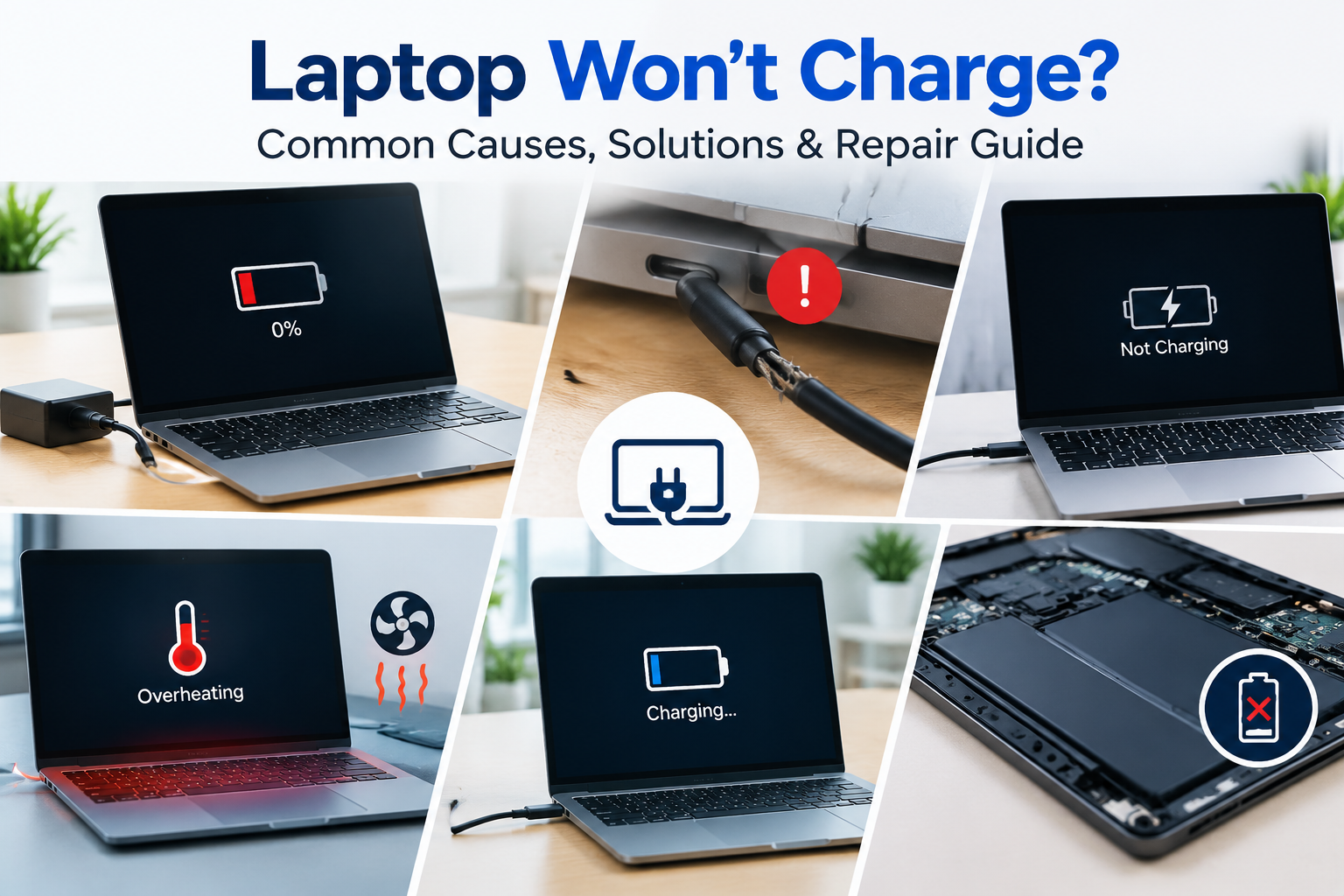
The most common causes include:
- Faulty or damaged laptop charger
- Damaged charging cable
- Loose or damaged charging port
- Worn-out laptop battery
- Overheating
- Windows or driver problems
- BIOS or firmware issues
- Motherboard or charging circuit failure
1. Check the Laptop Charger
The charger is one of the first things you should check when your laptop is not charging.
Inspect the power adapter and cable for visible damage, cuts, bent connectors, or unusual heating. Also check whether the charger is securely connected to both the electrical socket and laptop.
If possible, testing with a compatible known-good charger can help determine whether the original adapter is causing the problem.
Important: Do not use an incompatible charger simply because its connector fits your laptop. Voltage, current and connector specifications must be compatible with the device.
2. Check the Laptop Charging Port
A damaged or loose charging port can prevent the laptop from receiving power even when the charger is working correctly.
Signs of a charging-port problem may include:
- The charger only works when held at a certain angle
- The charging connection keeps disconnecting
- The laptop does not detect the charger
- The charging port feels loose
- The laptop suddenly stops charging when the connector moves
In such cases, professional inspection may be required. Depending on the laptop model, the charging connector may be replaceable or the internal charging circuit may require diagnosis.
3. Check the Laptop Battery
Laptop batteries naturally lose capacity over time. An old or damaged battery may drain quickly, fail to hold a charge, or stop charging completely.
Common signs of a battery problem include:
- Battery percentage remains very low
- Laptop shuts down immediately when the charger is removed
- Battery drains unusually quickly
- Battery is not detected by the laptop
- Windows displays a battery-related warning
If the battery has reached the end of its useful life, replacing it with a compatible battery may resolve the problem.
4. Restart Your Laptop
Sometimes a temporary operating system or power-management problem can prevent the laptop from correctly detecting the charger.
Save your work, shut down or restart the laptop, reconnect the charger and check whether the charging status changes.
If the problem continues after restarting, further troubleshooting may be required.
5. Check Windows Battery and Driver Settings
Software and driver problems can sometimes affect how Windows detects the battery and charging hardware.
A technician can check the relevant battery and power-management drivers and determine whether software troubleshooting is required.
Do not uninstall or modify system drivers unless you understand the device and have a backup or recovery option available.
6. Laptop Overheating Can Affect Charging
Excessive heat can affect laptop performance and power management. Dust buildup, blocked ventilation, a faulty cooling fan or degraded thermal paste can contribute to overheating.
This is particularly important in environments such as Abu Dhabi, where high outdoor temperatures can make proper laptop cooling and maintenance even more important.
Regular internal cleaning and cooling-system maintenance can help keep a laptop operating reliably.
7. BIOS or Firmware Problems
In some cases, charging or battery detection problems may be related to BIOS or firmware settings.
Because BIOS updates can affect system operation, they should be performed carefully and using the correct update for the exact laptop model.
If you are unsure, professional technical assistance is recommended.
8. Motherboard or Charging Circuit Problems
If the charger, battery and charging port are working correctly but the laptop still does not charge, the problem may be located on the motherboard or charging circuit.
These repairs require specialized diagnostic equipment and technical knowledge. Attempting component-level repair without proper equipment can cause additional damage.
Simple Things You Can Try Before Laptop Repair
Before taking your laptop to a repair shop, you can safely check a few basic things:
- Check that the power socket is working.
- Inspect the charger and cable for visible damage.
- Reconnect the charger securely.
- Restart the laptop.
- Check whether the charging indicator is active.
- Check Windows battery status.
- If available, test with a compatible charger.
If these checks do not solve the problem, professional diagnosis can help identify whether the fault is with the charger, battery, charging port or internal hardware.
When Do You Need Professional Laptop Charging Repair?
You should consider professional laptop repair if:
- The laptop does not detect the charger.
- The charging port is loose or damaged.
- The battery is swollen or physically damaged.
- The laptop only charges intermittently.
- The laptop shuts down when the charger is removed.
- The charger becomes unusually hot.
- The laptop has suffered liquid damage.
- The laptop still does not charge after basic troubleshooting.
If the battery is swollen, stop using the laptop and seek professional assistance. Do not attempt to puncture, open or physically manipulate a swollen battery.
Laptop Charging Port Repair in Abu Dhabi
If you are searching for laptop charging port repair in Abu Dhabi, the first step should be a proper diagnosis.
A charging problem does not always mean that the charging port itself needs replacement. The fault could also be the charger, battery, connector, charging circuit or motherboard.
Professional diagnosis helps identify the actual cause before replacing parts unnecessarily.
Laptop Battery Replacement in Abu Dhabi
If your battery is old, damaged or no longer holding a charge, battery replacement may be a practical solution.
The correct replacement battery depends on the laptop brand, model and battery specification. A professional technician can identify the appropriate compatible battery and check the charging system at the same time.
How Much Does Laptop Charging Repair Cost in Abu Dhabi?
The cost of laptop charging repair in Abu Dhabi depends on the cause of the problem and the laptop model.
| Possible Problem | Repair Cost Depends On |
|---|---|
| Faulty charger | Charger model and specification |
| Battery replacement | Laptop model and battery type |
| Charging port | Port design, model and labour |
| Software issue | Diagnosis and troubleshooting required |
| Motherboard charging problem | Component damage and repair complexity |
There is no single fixed price for every laptop. Getting the device diagnosed first is the best way to receive an accurate quotation.
Laptop Charging Repair in Mussafah, Abu Dhabi
If you are located in Mussafah Abu Dhabi and your laptop is not charging, a local computer and laptop repair service can help diagnose the issue.
Businesses in Mussafah often depend on laptops and computers for administration, accounting, sales, inventory, communication and other daily operations. Quick diagnosis and repair can help reduce unnecessary downtime.
Repair or Replace Your Laptop?
Not every charging problem means you need a new laptop.
A battery replacement, charger replacement or charging-port repair may be significantly more economical than purchasing another computer.
However, replacement may be worth considering if the laptop is very old, has multiple hardware problems, has outdated specifications, or requires an expensive motherboard repair.
A professional technician can help you compare the estimated repair cost with the laptop's age, performance and expected remaining lifespan.
Why Choose Triforce Computer Systems?
Triforce Computer Systems provides computer and laptop solutions for customers and businesses in Abu Dhabi.
Our services include laptop and computer repair, diagnostics, hardware upgrades, SSD and RAM upgrades, battery replacement, screen replacement, software troubleshooting, IT support, networking, CCTV and other technology solutions.
If your laptop is not charging, our team can help identify whether the problem is related to the charger, battery, charging port, software or internal hardware.
Need laptop charging repair in Abu Dhabi? Contact Triforce Computer Systems for professional laptop diagnosis and repair services.
Frequently Asked Questions
Why is my laptop plugged in but not charging?
A laptop may be plugged in but not charging because of a faulty charger, damaged charging port, worn-out battery, software problem, overheating, or an internal charging circuit issue.
How do I know if my laptop battery is damaged?
Rapid battery drain, unexpected shutdowns, failure to hold a charge, battery detection problems and very low battery capacity can indicate that the battery needs inspection or replacement.
Can a laptop charging port be repaired?
Yes, depending on the laptop design and type of damage, a charging port may be repairable or replaceable. The device should be inspected first to determine the exact cause.
How much does laptop charging repair cost in Abu Dhabi?
The cost depends on whether the problem is related to the charger, battery, charging port, software or motherboard. A professional diagnosis is recommended before providing an accurate quotation.
Where can I repair my laptop in Abu Dhabi?
Triforce Computer Systems provides computer and laptop repair solutions in Abu Dhabi, including laptop diagnostics, hardware repairs, upgrades and software troubleshooting.
Can I use another laptop charger?
Only use another charger if its voltage, current, connector and other electrical specifications are compatible with your laptop. Using an unsuitable charger can damage the device.
Should I continue using a laptop with a swollen battery?
No. A swollen battery can be a safety risk. Stop using the device and seek professional assistance rather than attempting to open, puncture or repair the battery yourself.
Do you provide laptop repair in Mussafah Abu Dhabi?
Triforce Computer Systems provides computer and laptop solutions for customers and businesses in Abu Dhabi, including customers in the Mussafah area.
Laptop not charging? Contact Triforce Computer Systems for professional laptop diagnosis, repair and upgrade services in Abu Dhabi.